今日本場Today

188

入場數Entries

今日本場Today

168

出場數Exits

即時Live

20

場外人數Outside

* 示意數據供版面展示* Sample data for illustration

AIScope 人流統計(People Counting)將監看變成事件驅動

by Bluing Security Consultancy Limited 藍鋼保安顧問有限公司

別名:人數統計、客流統計、客流分析、Footfall Analytics、人潮統計、進出人流計數

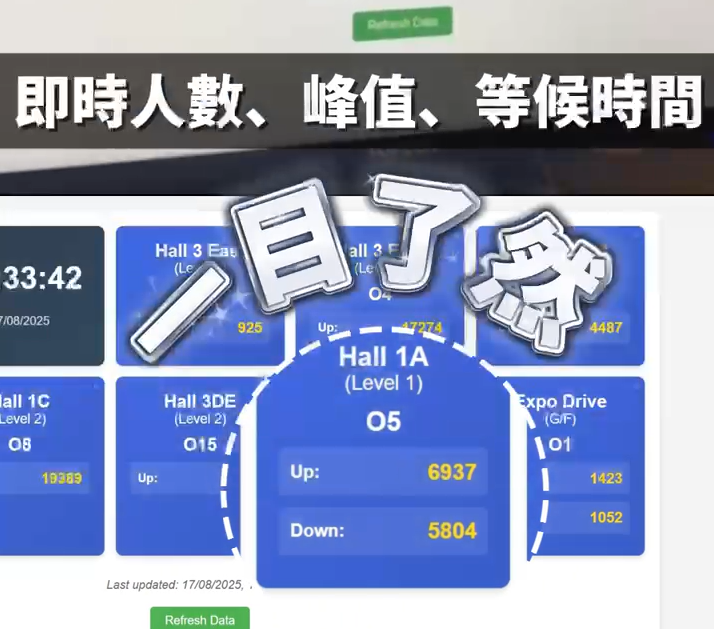
把 AI 相機裝設於各出入口與電梯口,透過 虛擬穿越線(Virtual Tripwire) 即時計算入/出人數;多台 AIScope 自動串聯成系統,於雲端儀表板呈現 入場數出場數場內人數場外人數。此解決方案同時覆蓋「人流統計/人數統計/客流分析(People Counting|Footfall Analytics)」等需求,並可輸出每小時 Excel 報表與即時看板,一眼掌握全場動態。

AIScope People CountingTurn Monitoring into Event-Driven Intelligence

by Bluing Security Consultancy Limited

Also known as: Footfall Analytics, Crowd Counting, Traffic Analysis

Install AI cameras at each entrance and elevator. Using Virtual Tripwires, AIScope counts people in/out in real time; multiple units link automatically to display entries, exits, inside count and outside count on a cloud dashboard. Hourly Excel reports and live dashboards included.

常見場景:展覽活動、商場出入口、地鐵/電梯口、人潮分流與安全管理Common use cases: exhibitions, mall entrances, MTR/elevator lobbies, crowd management

多點整合,一個視圖Multi-Point, Single View

每個出入口/電梯口皆為一台 AIScope 節點,雲端自動匯總,跨樓層與區域即時統計。Each entrance/elevator is an AIScope node. Cloud auto-aggregation provides real-time cross-floor statistics.

虛擬穿越線,精準計數Virtual Tripwire, Precise Counting

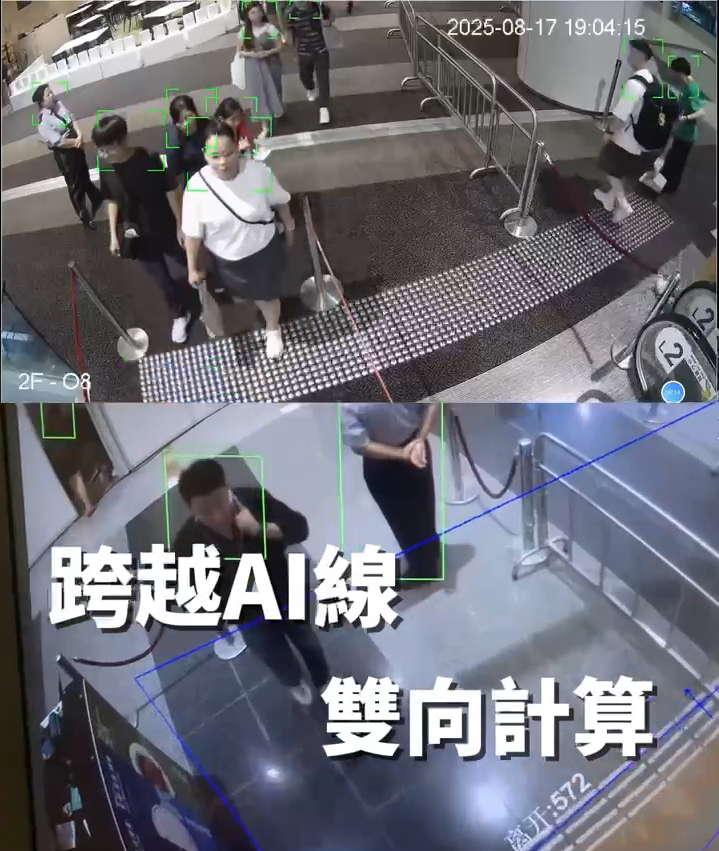
在畫面中拉出虛擬線,行人通過即觸發計數,方向可辨入/出,避免重複計算。Draw a virtual line on screen. Pedestrians crossing it trigger a count with direction detection — no double counting.

報表即取,決策即時Instant Reports, Instant Decisions

按日/時段輸出 CSV/Excel/PDF,輕鬆與主辦、合作單位共享 KPI。Export CSV/Excel/PDF by day or time slot. Easily share KPIs with organizers and partners.
如何運作(人流統計/客流分析流程)How It Works — People Counting Workflow

01 裝設01 Installation

把 AIScope 相機安裝於各出入口/電梯口,供電與網絡即可啟用(支援臨時與固定部署)。Install AIScope cameras at entrances/elevator lobbies. Power + network = ready. Supports temporary and permanent setups.

裝設

02 設定02 Configuration

於畫面拉出虛擬穿越線,定義方向與區域,開始即時計數。Draw virtual tripwires on the video feed, define directions and zones, start real-time counting.

設定條件

03 匯總03 Aggregation

多台裝置自動連成系統,雲端儀表板彙整入場數、出場數、場外人數。Multiple devices auto-link into one system. Cloud dashboard aggregates entries, exits, and outside counts.

數據匯總

04 報表04 Reporting

輸出報表供營運、安管與市場部門分析,支援 API 對接第三方系統。Export reports for operations, security, and marketing. API integration with third-party systems supported.

報表輸出

常見應用場景(People Counting 人流分析)Common Use Cases — People Counting

展覽/大型活動Exhibitions / Large Events

逐入口與時段的入/出人流、實時館外排隊人數,協助人潮分流與安保調度。Per-entrance, per-slot in/out flow and real-time outside queue count for crowd control and security dispatch.

商場/寫字樓Malls / Offices

電梯大堂與出入口的人流走勢,優化清潔與保安排班、廣告檔期與租戶 KPI。Elevator lobby and entrance traffic trends to optimize cleaning, security shifts, ad schedules and tenant KPIs.

交通樞紐/校園Transport Hubs / Campuses

月台、閘口、出入口即時統計,支援安全容量監測與緊急應變。Real-time stats at platforms, gates, and entrances for safety capacity monitoring and emergency response.

由淺入深:AI 如何數人、點樣出報表、點樣落地Deep Dive: How AI Counts, Reports & Deploys

AI 是什麼?點樣「見到」人?What Is AI? How Does It "See" People?

AIScope 內置視覺 AI 模型,會在鏡頭畫面中偵測行人輪廓(如頭肩比例、步態等),當目標穿越你設定嘅 虛擬穿越線(Virtual Tripwire)時,就會觸發 +1 事件,並標記方向(In/Out)。每個事件都帶有時間戳、點位 ID、方向,方便之後匯總與審核。AIScope uses a built-in visual AI model to detect pedestrian silhouettes in the camera feed. When a target crosses your defined Virtual Tripwire, it triggers a +1 event with direction (In/Out). Each event carries a timestamp, point ID, and direction for aggregation.

  • 不需安裝地磚式計數器,純視覺判斷No floor-tile counters — pure visual detection
  • 可同時設多條穿越線,支援多方向/多區域Multiple tripwires, multi-direction / multi-zone
  • 只記錄事件,不保留個人身份資料Records events only — no personal identity data

兩類場景的計數邏輯Two Counting Logic Scenarios

① 封閉式場地(固定出入口):清楚定義入/出方向,系統即時計 入場數出場數場內人數(Inside=累計In–Out),並可加上 容許上限 警示。① Enclosed venues (fixed entrances): Define in/out directions. System tracks entries, exits, inside count (In−Out), with optional capacity alerts.

② 多電梯/多流向(例如會展):當出/入定義唔明確時,AIScope 會於每個電梯口採集 原始人流(上行/下行;由哪層到哪層),經雲端邏輯計算各樓層淨流量與區域承載。安裝上,我哋會用 L 型臂 將鏡頭伸至畫面正中,以最佳角度覆蓋通道。② Multi-elevator / multi-flow (e.g. HKCEC): When in/out is ambiguous, AIScope captures raw flow at each elevator. Cloud logic calculates net flow per floor. L-brackets extend cameras to corridor center for optimal coverage.

報表與自動電郵Reports & Auto Email

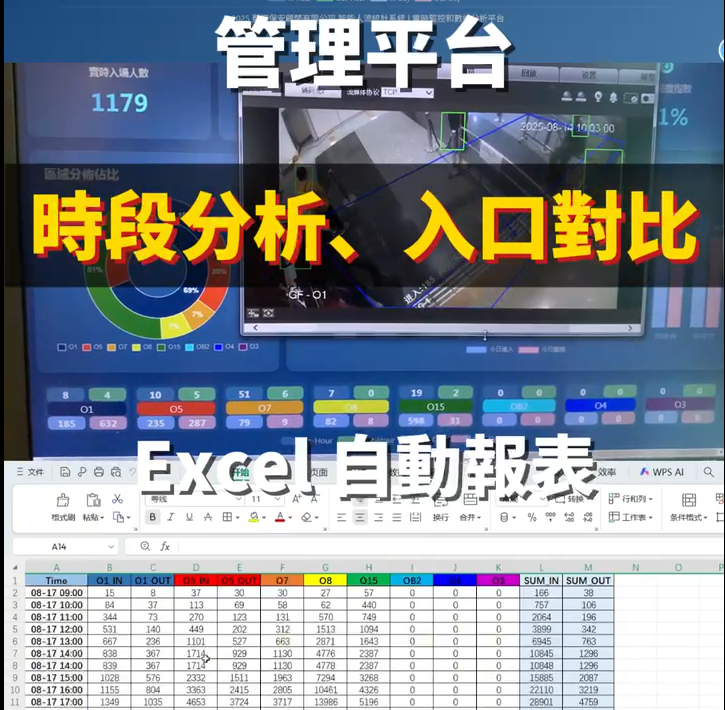
常規設定為 每小時 自動輸出 Excel 報表,並透過電郵發送至指定名單。亦可按需設定 15/30 分鐘等頻率。Default: auto Excel reports every hour, emailed to designated recipients. 15/30-min intervals also available.

  • 欄位範例:時間窗、點位 ID、入場、出場、場外、場內、上限是否超標、備註Fields: time window, point ID, entries, exits, outside, inside, over-limit flag, remarks
  • 格式:Excel(.xlsx)、CSV、PDF(可選)Formats: Excel (.xlsx), CSV, PDF (optional)
  • 權限:支援多收件人、主辦/保安/營運分組寄送Multi-recipient, grouped by organizer / security / operations

即時介面與警示Live Dashboard & Alerts

  • 即時總覽:各入口 In/OutInside占比 與趨勢Live overview: per-entrance In/Out, Inside, share & trends
  • 大屏模式:現場指揮可投屏顯示Big-screen mode for on-site command display
  • 閾值警示:接近/超出上限自動標紅,選配 SMS/電郵/WebhookThreshold alerts: auto red flag near/over limits, optional SMS/email/webhook

準確度與驗證方法Accuracy & Verification

我們會以 抽樣人手 Cross‑check 進行校準:挑選多個時段,每次以 15 分鐘人工計數,對照系統數據並調整穿越線位置/方向與鏡頭角度,直至達標。We calibrate via manual cross-checks: selecting multiple time slots, 15-min hand counts each, comparing with system data, adjusting tripwires and camera angles until benchmarks are met.

  • 抽樣多次、多點位,覆蓋不同密度與光線Multiple samples, multiple points, covering varied density and lighting
  • 可提供驗證報告與誤差分析Verification reports and error analysis available
  • 持續監測:異常點位即時提示重校Continuous monitoring: anomaly alerts trigger recalibration

鏡頭選型與安裝角度Camera Selection & Mounting

  • Top‑down(垂直俯視):以頭肩特徵判別,遮擋少、精準度高;覆蓋面較小,需較多鏡頭。Top-down (overhead): head-shoulder detection, minimal occlusion, high accuracy; smaller coverage, more cameras needed.
  • Eye‑level 以上約 30°:面向人流方向,兼顧覆蓋與成本;須控制前排遮擋。Eye-level + ~30°: facing traffic, balances coverage vs. cost; manage front-row occlusion.
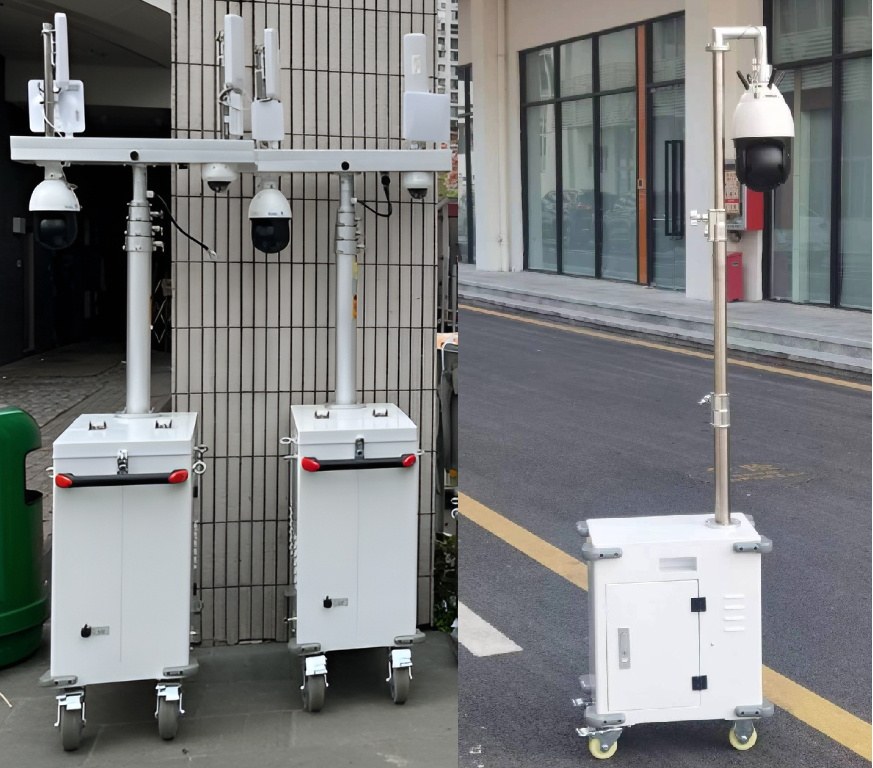
  • L 型臂延伸:將鏡頭伸至通道中心線,以取得最佳穿越角。L-bracket extension: extends camera to corridor centerline for optimal tripwire angle.

人工 vs. AI:為何自動化更穩定?Manual vs. AI: Why Automation Wins

  • 人工長時間容易疲勞、分心,尖峰時段易漏計/重覆Manual staff fatigue causes missed/double counts during peaks
  • 不同班次計數標準不一,誤差積累Inconsistent counting across shifts, errors accumulate
  • 紙本抄寫再整合至 Excel,5–10 分鐘甚至更久Paper-to-Excel entry takes 5–10+ minutes
  • AI 24/7 穩定輸出,尖峰也能維持節奏AI delivers 24/7 consistent output, even during peaks
  • 跨入口自動匯總,內建一致性規則Cross-entrance auto-aggregation with built-in consistency
  • 即時看板+自動報表,壓力大幅降低Live dashboard + auto reports, drastically reduced workload

部署模式Deployment Options

  • 固定安裝:長期場域(商場、寫字樓)Permanent: long-term venues (malls, offices)
  • 臨時活動:快裝快拆、可移動支架Temporary: quick setup/teardown, portable stands
  • 網絡:Wi‑Fi、有線、4G/5G 皆可Network: Wi-Fi, wired, 4G/5G all supported

電源與續航Power & Battery

支援電池箱方案,常見續航 ≥16 小時;視需求可擴至 2–3 天。適合戶外與臨時展位。Battery box option with ≥16 hour runtime, expandable to 2–3 days. Ideal for outdoor and temporary setups.

私隱與合規Privacy & Compliance

以事件為主,非個資。可選遮罩/模糊、資料最小化與存取權限管理,滿足主辦與場地方要求。Event-based, no personal data. Optional masking/blurring, data minimization, and access control.

為何選擇 AIScope — AI 人流統計/人數統計 方案Why Choose AIScope — AI People Counting

  • 即時準確的人流統計,不需人手盤點Real-time and accurate counting — no manual tallying
  • 多入口自動匯總,即看總場、人潮去向與淨流量Multi-entrance auto-aggregation: total venue and net flow at a glance
  • 匯出報表API 對接,便於跨部門共享Reports and API for cross-department sharing
  • 靈活部署:固定、臨時、4G/5G 或 Wi‑Fi 皆可Flexible: permanent, temporary, 4G/5G or Wi-Fi
  • 私隱友善:僅統計通行事件,不保留個人身份Privacy-friendly: counts events only, no personal identity

輸出指標(可選)Output Metrics (Optional)

  • 入場數(In)/出場數(Out)/場外人數(Outside)Entries (In) / Exits (Out) / Outside Count
  • 淨流量(In-Out)、尖峰時段、各入口占比Net flow (In−Out), peak hours, per-entrance share
  • 時間粒度:分鐘/小時/日/活動檔期Granularity: minute / hour / day / event period

報表樣本(示意)Sample Report

時間窗Time點位Point入場In出場Out場內Inside場外Outside超上限Over
14:00–15:00入口 AGate A1,2451,0312,980210
14:00–15:00入口 BGate B1,0189922,966155
合計Total2,2632,023365
下載完整樣本Download Sample

服務客戶與場地Clients & Venues

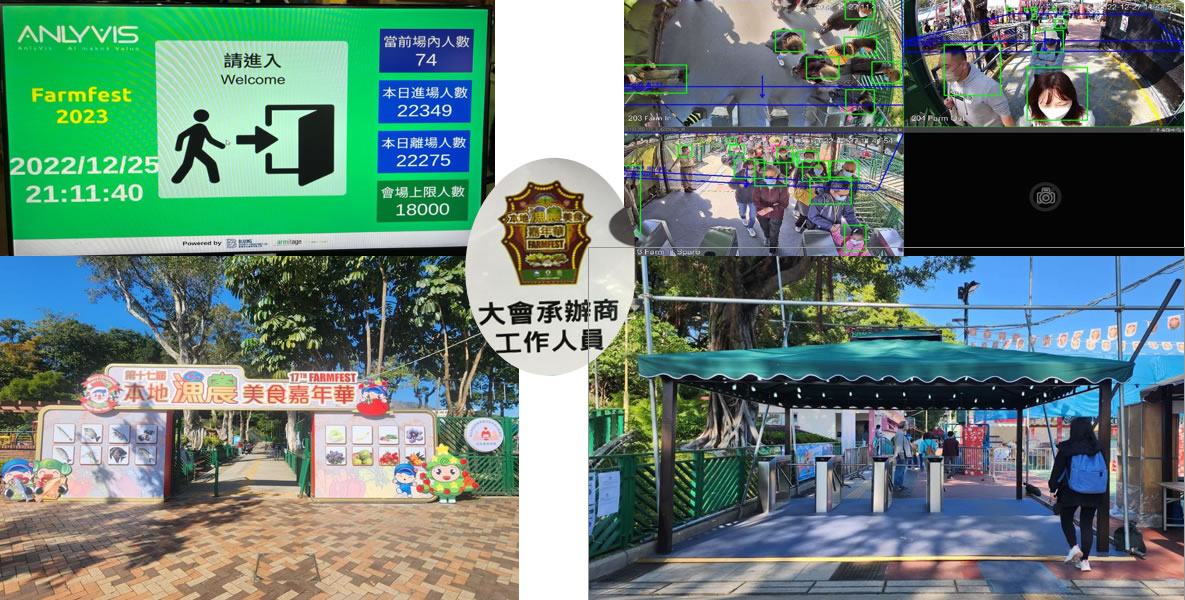
我們已為多個政府部門與大型活動提供人流統計與即時看板服務,包括:康樂及文化事務署(康文署)漁農自然護理署(漁護署)香港貿易發展局(HKTDC)民政事務總署 等。We have served multiple government departments and large events, including: LCSD, AFCD, HKTDC, Home Affairs Department, and more.

常見場地:維多利亞公園香港會議展覽中心(會展)旺角大球場觀塘海濱 等。Venues: Victoria Park, HKCEC, Mong Kok Stadium, Kwun Tong Promenade, etc.

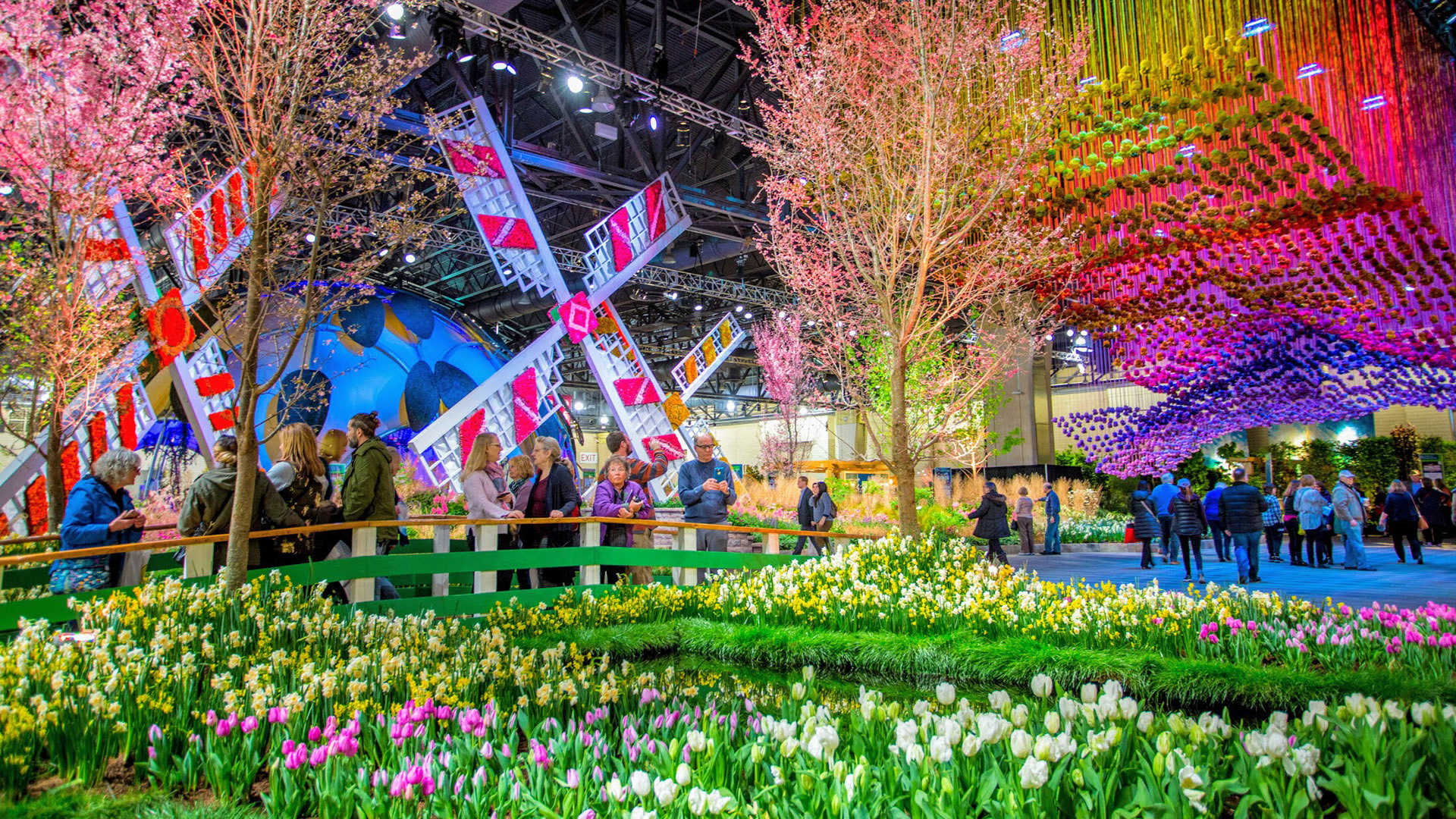
花展

花卉節Flower Festival

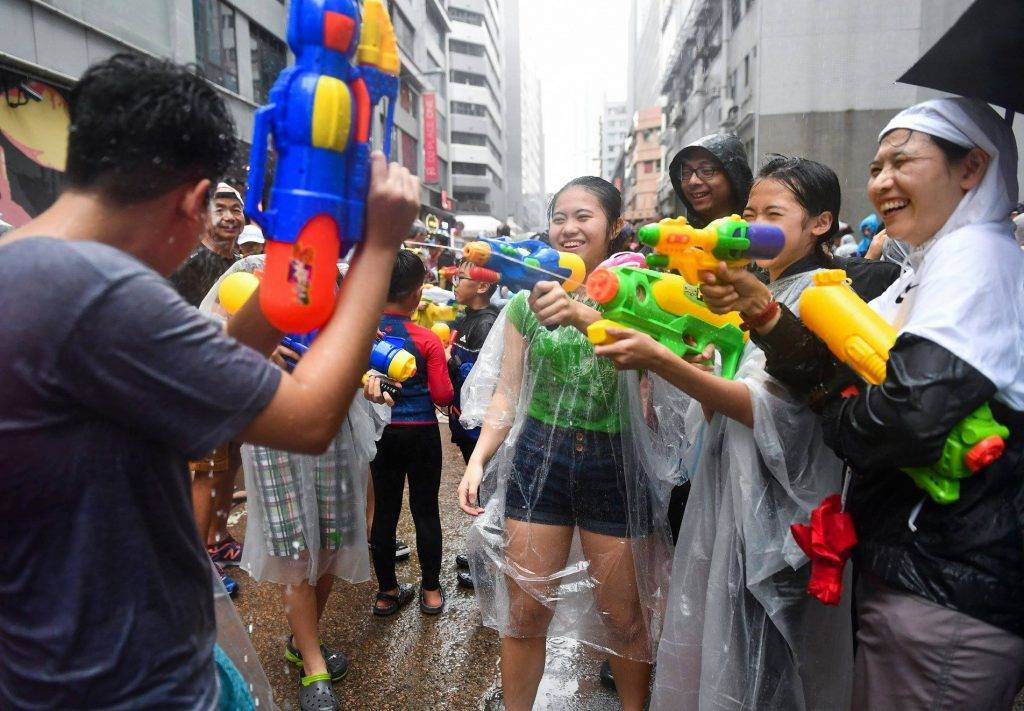
潑水節

九龍城潑水節 2024-2026Kowloon City Songkran Festival 2024-2026

嘉年華

國慶七十五周年漁農美食嘉年華75th National Day Agri-Food Carnival

政府部門客戶 A 見證Government Client A

「我們系統非常幫到手。以往每小時向其他政府部門匯報人數都係靠人手計算,現在自動出報表實在太方便。」"The system has been incredibly helpful. We used to manually count for hourly reports to other departments. Auto-generated reports are so much more convenient."

政府部門客戶 B 見證Government Client B

「非常滿意你們快速安裝部署系統,只需一日時間就完成整個會展安裝。數據準確而穩定。」"Very satisfied with the rapid deployment — the entire HKCEC installation completed in just one day. Data is accurate and stable."

常見問題(人流統計|人數統計|客流分析)FAQ — People Counting

需要安裝伺服器嗎?Do I need a server?

不一定。AIScope 可直接把計數事件送至雲端;若有本地化或離線需求,可選邊緣閘道或私有部署。Not necessarily. AIScope sends events directly to the cloud. Edge gateways or private deployment available for local/offline needs.

精準度如何?How accurate is it?

一般入口在標準光線與安裝高度下可達高準確率;我們提供現場校準與 A/B 測試,並以樣本抽查驗證。Standard entrances achieve high accuracy under normal conditions. On-site calibration, A/B testing, and sample verification provided.

是否符合私隱要求?Is it privacy-compliant?

系統以事件記錄為主,不需保存個人影像或身份資料,可依要求啟用遮罩與資料最小化設定。Event-based recording only — no personal images or identity data. Masking and data minimization available on request.

可以對接既有平台嗎?Can it integrate with existing platforms?

可。提供報表下載與 API,能對接售票系統、營運看板或第三方 BI 工具。Yes. Report downloads and API available for integration with ticketing, dashboards, or third-party BI tools.

安排 15 分鐘 DemoSchedule a 15-Min Demo

留下聯絡方式,我們將有專人回覆你。Leave your contact info and our team will get back to you.

聯繫我們